
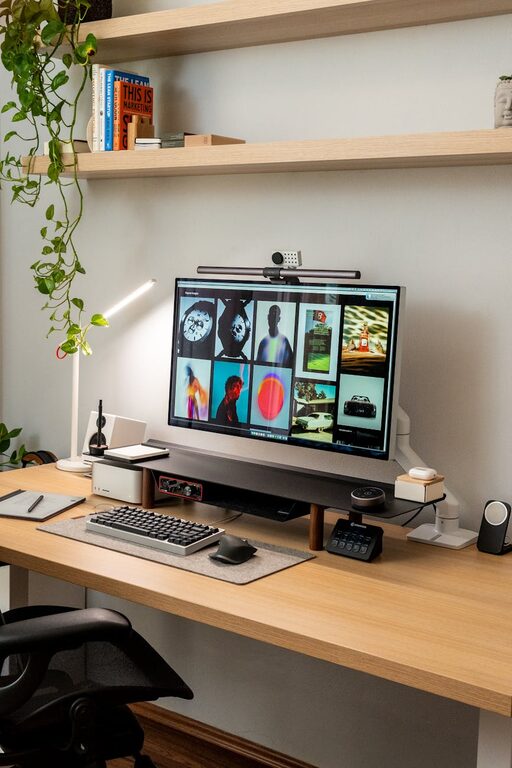
Creating a relaxing home office environment is essential for staying productive and maintaining a healthy work-life balance. Whether you’re working remotely full-time or just occasionally, your workspace should inspire focus and calm. Here are practical tips to help you design a home office that encourages relaxation and efficiency.
Choose the Right Location
The first step is selecting a spot in your home that suits your working style.
– Quiet and Private: Pick an area away from distractions like the TV or busy kitchen.
– Natural Light: Choose a space near a window if possible to benefit from natural light, which can improve mood and energy.
– Space for Movement: Ensure you have enough room to move comfortably and stretch.
Invest in Comfortable Furniture
Comfort is key to staying relaxed and focused.
– Ergonomic Chair: An adjustable chair with good lumbar support will help prevent back pain.
– Desk Height: Your desk should allow your elbows to rest at a 90-degree angle while typing.
– Additional Seating: Consider a small lounge chair if you want a change of posture throughout the day.
Minimize Clutter and Organize
A cluttered desk can lead to a cluttered mind. Keep your space tidy.
– Storage Solutions: Use shelves, filing cabinets, or drawers to store papers and supplies.
– Desktop Organization: Use organizers or trays to keep pens, notebooks, and gadgets in place.
– Regular Decluttering: Set aside a few minutes each week to clear unnecessary items.
Incorporate Calming Colors and Decor
The colors and decor you choose can directly impact your mood.
– Soothing Colors: Use soft blues, greens, or neutrals to create a calming atmosphere.
– Personal Touches: Add artwork, plants, or photos that make you feel inspired and relaxed.
– Avoid Overstimulating Patterns: Keep decor simple to avoid visual distraction.
Control Lighting
Proper lighting can reduce eye strain and create a comfortable environment.
– Layered Lighting: Combine natural light, overhead lights, and desk lamps to avoid harsh shadows.
– Adjustable Desk Lamps: Opt for lamps with adjustable brightness and direction.
– Avoid Screen Glare: Position your computer and lights to prevent glare on your screen.
Use Plants to Boost Air Quality and Mood
Adding greenery is a powerful way to refresh your workspace.
– Easy-Care Plants: Consider low-maintenance varieties like snake plants, pothos, or succulents.
– Placement: Position plants near your desk or windowsill to brighten your space.
– Benefits: Plants can improve air quality and reduce stress.
Manage Noise Levels
Minimizing noise distractions helps concentration.
– Noise-Canceling Headphones: Great for blocking out household sounds.
– Soft Background Music: Some people find calming music or nature sounds helpful.
– Soundproofing: Adding rugs, curtains, or sound-absorbing panels can reduce echo.
Set Up Tech Mindfully
Technology is necessary but can add to stress if not organized well.
– Cable Management: Use clips or sleeves to keep cords tidy and avoid tangling.
– Monitor Height: Position your monitor at eye level to reduce neck strain.
– Use Multiple Screens: If space allows, having a second monitor can improve workflow.
Take Breaks and Personalize Your Routine
Your environment can support healthy habits.
– Break Reminders: Use timers to take short breaks from sitting and screen time.
– Movement Space: Include an area for stretching or light exercises.
– Routine: Personalize your office space so it feels welcoming, encouraging you to enjoy your workday.
—
Creating a relaxing home office environment doesn’t require a complete makeover. Small changes like improving lighting, adding plants, and organizing your desk can transform your workspace into a calm and productive haven. By prioritizing comfort and minimizing distractions, you’ll find it easier to focus and feel relaxed during your workday.